> For the complete documentation index, see [llms.txt](https://doc.newshour.mrb-lab.com/llms.txt). Markdown versions of documentation pages are available by appending `.md` to page URLs; this page is available as [Markdown](https://doc.newshour.mrb-lab.com/admin-setup/3.-firebase-setup/3.4-push-notification-setup.md).
# 3.4 Push Notification Setup
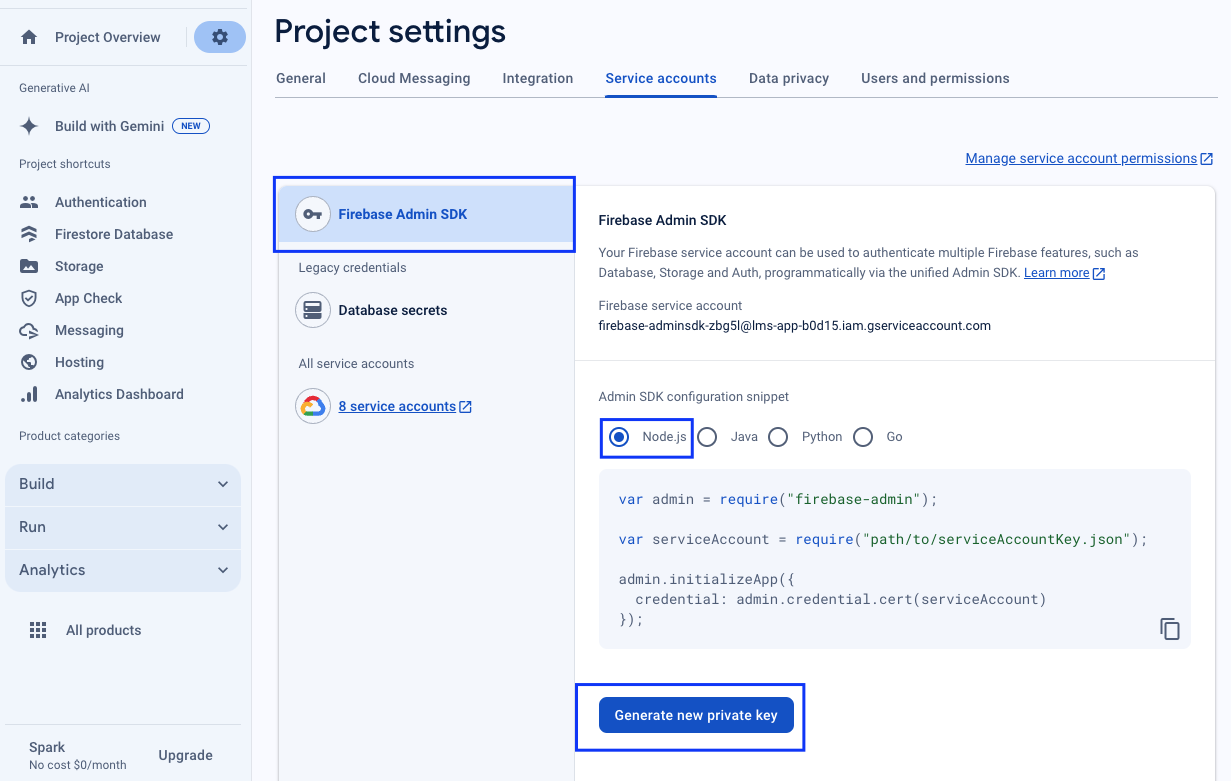
* From your Firebase console, go to the **Project Settings > Service Accounts** Tab. You need to download your service account information.
* **Firebase Admin SDK > Node.js > Generate new private key** and a JSON file will be downloaded.
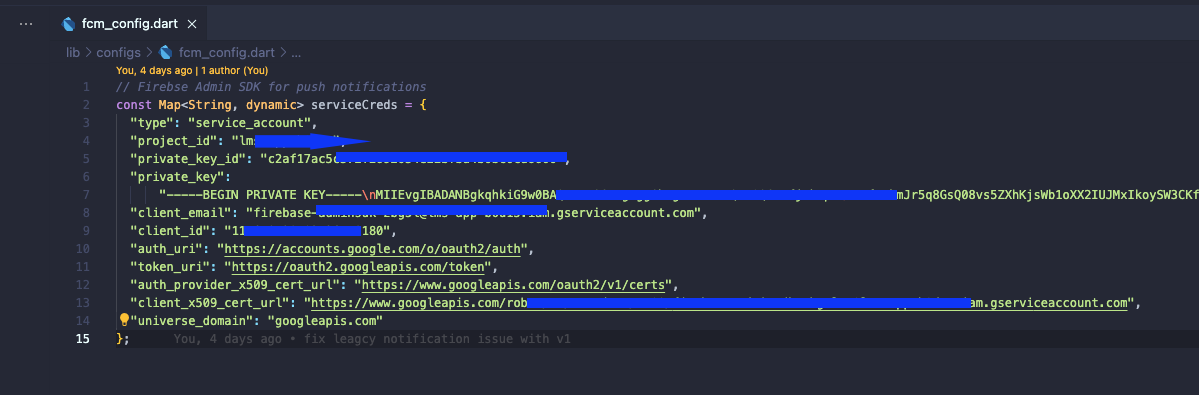
* Open that JSON file in any text editor and copy the information inside the **{}** curly bracket.
* Now go to your IDE and open **lib/configs/fcm\_config.dart** the file and paste the text you have just copied inside the curly bracket. That's it.